WordPress.com launches AI Assistant to automate site design and content creation
WordPress.com launches a native AI Assistant that automates site styling, content writing, and image generation for all users.
.png%3Falt%3Dmedia%26token%3D93b109bd-4b51-4355-9cf4-14ae74ffd720&w=3840&q=75)
Image Credit : WordPress
- Users can modify fonts, colors, and layouts across their entire site using natural language prompts.
- The AI Assistant is fully functional in over 95 languages for both content generation and site commands.
- Native image and code generation tools allow users to create bespoke graphics and custom CSS without leaving the editor.
The era of manual drag-and-drop web design is entering a period of forced obsolescence. WordPress.com has officially unveiled its native AI Assistant, a powerful conversational interface designed to handle everything from complex CSS styling to high-resolution image generation. By integrating this tool directly into the block editor, the platform is attempting to eliminate the "blank page syndrome" that stalls millions of creative projects, offering users a digital co-pilot that understands over 95 different languages.
The rollout is not just a cosmetic update; it is a fundamental shift in the site-building workflow. The Assistant lives as a persistent sidebar within the editor, allowing users to issue natural language commands to modify their entire site’s aesthetic. Instead of digging through nested menus to change a color palette or typography, a user can simply type a request to "make this site look like a minimalist Scandinavian art gallery." The AI then autonomously adjusts the Global Styles, reconfiguring font pairings and spacing in real-time. To ensure the tool is accessible to the platform’s massive user base, WordPress.com is offering 20 free requests to all users, including those on the free tier.
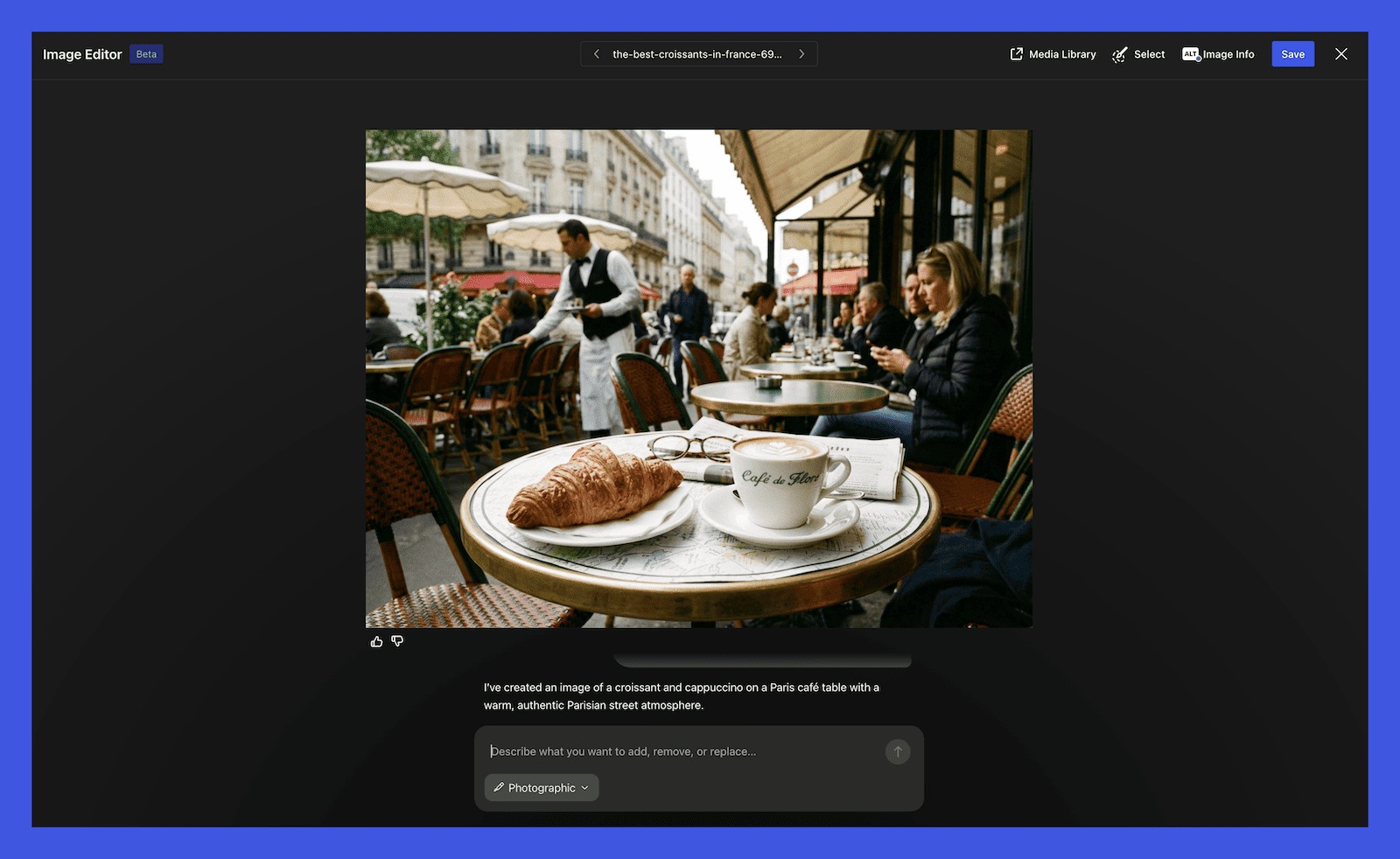
Content creation receives an equally significant upgrade. The Assistant can draft entire blog posts, summarize existing long-form articles into social media snippets, and even suggest catchy headlines based on the body text. For those struggling with visual assets, the integrated image generator powered by the latest DALL-E models can create bespoke graphics that match the tone of the written content. This creates a closed-loop system where a user can move from a rough concept to a fully designed, populated landing page in a matter of minutes.
"This is about democratizing the power of high-end design and professional copywriting," the WordPress.com team noted in their official announcement. The tool is specifically engineered to handle the technical "heavy lifting" that usually requires a developer. For instance, the Assistant can generate custom HTML or CSS snippets on demand. If a user wants a specific animation for a button or a unique hover effect, the AI writes the code and implements it directly into the block settings, bypassing the need for external plugins or manual coding.
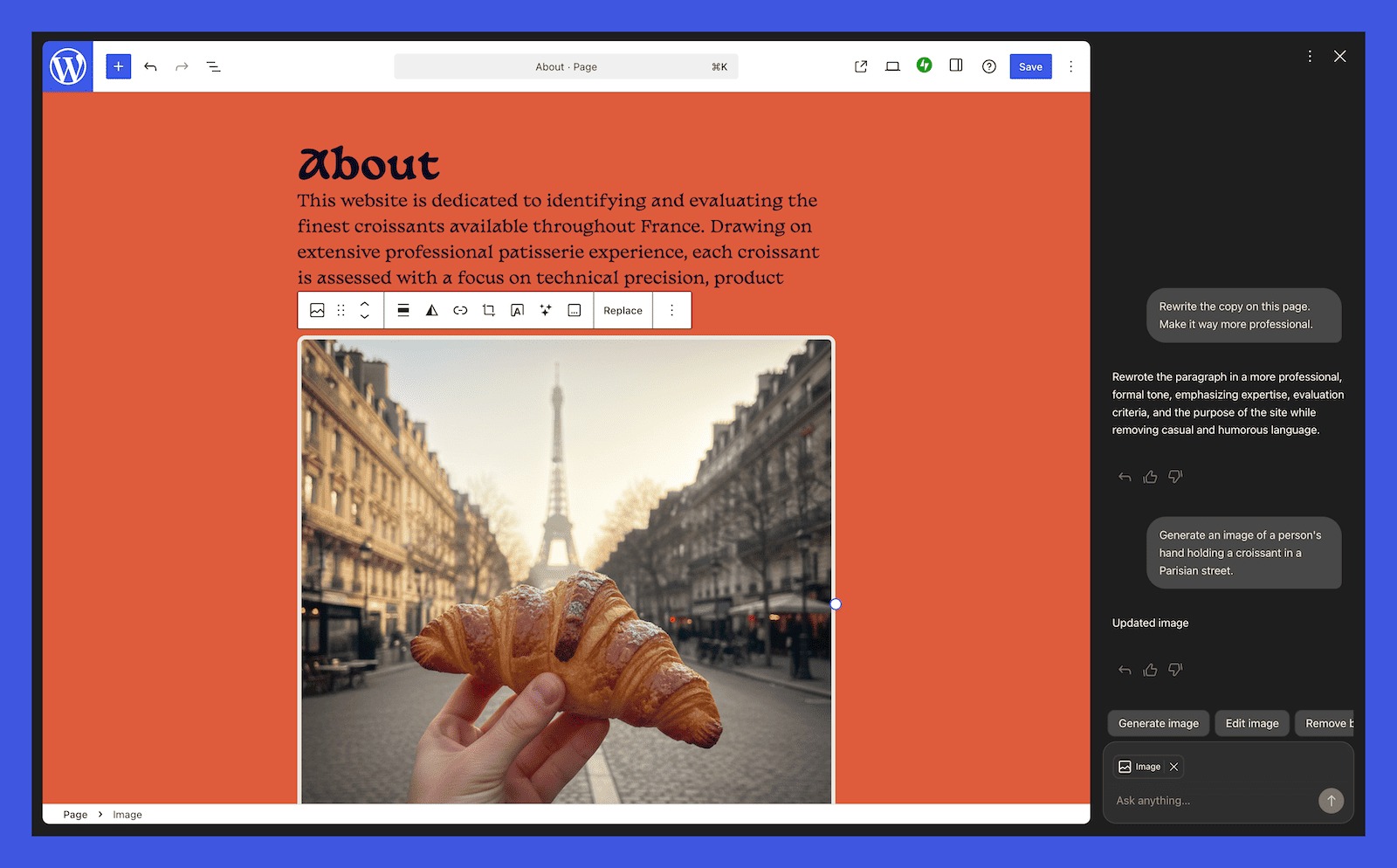
While the focus is squarely on the user experience, the move also addresses the growing demand for smarter, faster publishing tools. As the web becomes increasingly saturated with content, the ability to rapidly iterate on design and copy becomes a competitive necessity. By providing these tools natively, WordPress.com is consolidating the features that were previously scattered across dozens of third-party plugins. This "all-in-one" approach simplifies the tech stack for small business owners and independent creators alike.
As the tool moves out of its initial phase, the implications for the wider web ecosystem are clear. The barrier between "having an idea" and "having a professional website" has never been thinner. For the millions of users currently powering the 43% of the internet built on WordPress, the AI Assistant represents a transition from being a manual builder to being a creative director. The machine handles the syntax and the styling; the human provides the vision.


